A ChatGPT Bluesky workflow usually means ChatGPT writes the post and then you paste it into Bluesky yourself. Connect ChatGPT to Bluesky once, and the pasting goes away, because the same chat saves your posts and threads as drafts, schedules them and reads your numbers back. Setup takes about 2 minutes, with no code and no config file.
I’m Anton, founder of PostHero. I built the connector, and my own Bluesky account runs through it as well as my X and Threads accounts. This guide covers the setup first, then what ChatGPT can do on Bluesky, Bluesky’s limits, how the options compare, and prompts to copy.
How to connect ChatGPT to Bluesky
- Create a PostHero account and connect your Bluesky account.
- On chatgpt.com, open Plugins, click the + button and choose Add custom MCP server.
- Name it PostHero, paste https://mcp.posthero.ai/mcp, choose OAuth, confirm the warning and create it.
- Sign in to PostHero, turn it on in a chat and ask: “list my connected accounts”.
What you need for ChatGPT Bluesky posting
- A Bluesky account: you link it in PostHero like any other platform, and after that Bluesky asks nothing else of you.
- No code and no config files. Plenty of Bluesky tools for AI assistants are GitHub projects, so you install and configure them yourself. Here you paste one URL on chatgpt.com instead, then sign in.
- A ChatGPT plan that allows custom MCP servers. OpenAI sets which plans can add them, and that has shifted more than once this year. If “Add custom MCP server” is missing under Plugins, then your plan or workspace doesn’t have it yet. Also, in Business, Enterprise and Edu workspaces an admin may have to add the server or enable it for you.
- One PostHero account for both steps. Sign in to the connector with the account where Bluesky is linked. Otherwise ChatGPT connects without complaint and then finds no Bluesky account.
- chatgpt.com for the setup, because you add the connector in ChatGPT on the web.
More than one Bluesky account? Link each of them, so ChatGPT sees them all. The connector also covers your other platforms, and my guide on how to connect ChatGPT to all your social media shows what works on each one.
Can ChatGPT post to Bluesky?
Not on its own. ChatGPT can write a Bluesky post, but it can’t reach your account, so you copy the text over yourself. With PostHero connected, ChatGPT saves the post as a Bluesky draft, schedules it once you name a time, publishes it when you ask and confirm, and reports how it did afterwards.
So here’s what ChatGPT can handle on Bluesky through PostHero:
- Text posts of up to 300 characters.
- Threads: ChatGPT writes the full chain, and then it’s saved as a single draft.
- Images or video: up to 4 images in a post, or one video. Your files go into your PostHero media library first, and then you tell ChatGPT which ones to use.
- Links: a link in the post is clickable and also gets a preview card.
- Scheduling for whatever date and time you name.
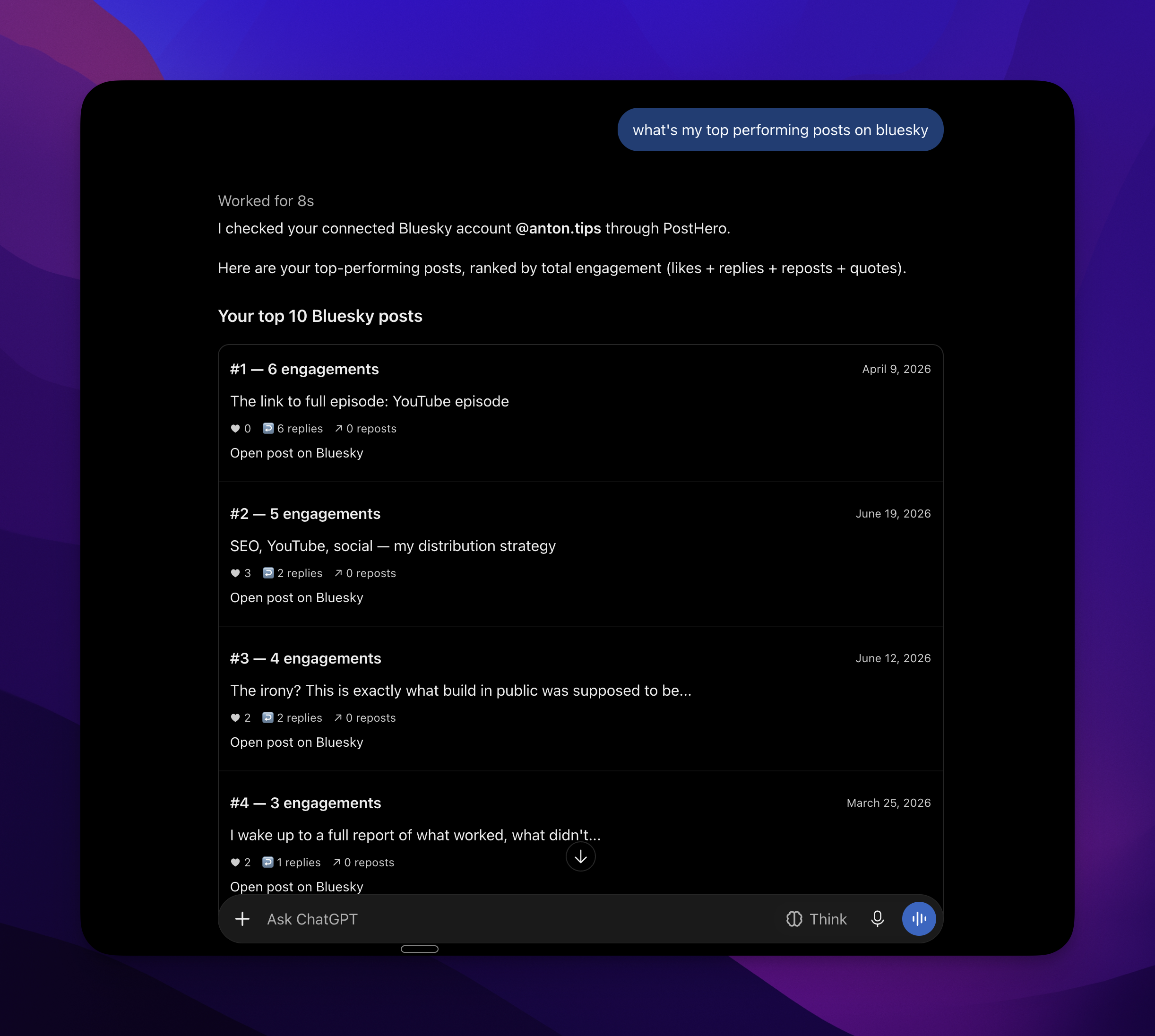
- Analytics: likes, replies, reposts and quotes over a period, as well as your top posts ranked by the metric you choose.
- Separate text per account when the same idea goes out on several Bluesky accounts.
Two caveats before you start. The Bluesky numbers are engagement only, so there are no impressions like you get for X or Threads. Also, two PostHero features stop short of Bluesky: the viral post library (LinkedIn and Instagram) and Instagram audits.
How I use AI for my Bluesky posts
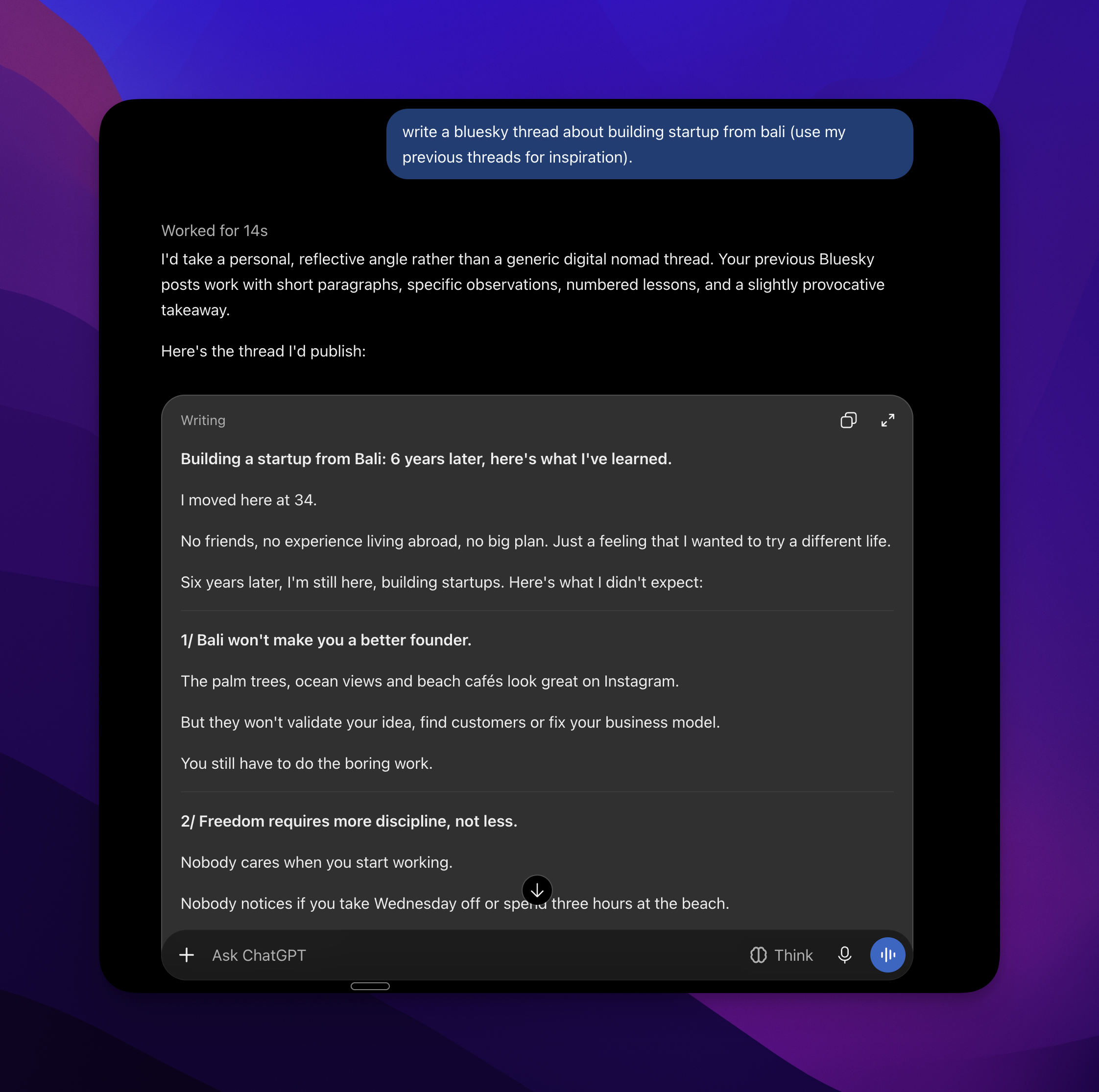
Bluesky isn’t its own task on my list, because it travels with X and Threads: one idea, written once in the chat, then saved as a draft for all three. I run this from Claude day to day, but the connector, the drafts and the prompts are the same in ChatGPT.
“All three” can’t mean identical text, though. The limits sit close together, but they don’t match: X allows 280 characters, Bluesky 300 and Threads 500. As a result, a post that fits Threads with room to spare will often overflow on Bluesky. So Bluesky gets its own version, and PostHero stores each platform’s text inside one draft.
Turn this idea into one draft for X, Bluesky and Threads, and give each platform its own text: X under 280 characters, Bluesky under 300, Threads a fuller version of up to 500. Then show me all three before you save anything: [idea]
Tone-wise, Bluesky is short and conversational, nearer to X than to LinkedIn. That’s why the instruction from my ChatGPT X guide also works here: keep it casual, and don’t pitch.
If an idea needs more than 300 characters, ask for a thread. Otherwise a real story gets squeezed into 300 and ends up saying nothing.
A PostHero detail for when you edit a thread by hand: two empty lines separate one post from the next. In other words, two more empty lines make a new post.
What goes wrong
- Pasting in a LinkedIn post. A 1,500-character post doesn’t become a Bluesky post because you cut it down. Instead, have ChatGPT rewrite the idea from zero or turn it into a thread.
- Writing for Threads and sending it to Bluesky. A 450-character post saves as a draft without complaint, then fails to publish on Bluesky. So put the limit in your prompt.
- Generic AI posts. “Write a Bluesky post about productivity” produces a post nobody was waiting for. Hand ChatGPT something real instead, such as an event from your week, a number or an opinion you hold.
Bluesky rules for posting with ChatGPT
Bluesky sets fewer rules for posting tools than X or Meta do. A handful still apply to whatever ChatGPT publishes for you.
300 characters per post. This is the most common reason a draft won’t publish. Bluesky counts what you see on screen, so one emoji is one character. If you need more room, then make it a thread.
Posting caps you won’t reach. Bluesky’s rate limits let one account create up to 1,666 records an hour and 11,666 a day, so no normal posting schedule gets close.
Don’t repeat yourself across accounts. Bluesky’s Community Guidelines ban spam as well as posting the same content again and again in ways that disrupt conversations. So if you run several accounts, ask for a version per account:
Write this idea for both my Bluesky accounts, each with its own version: casual and first person for my personal account, shorter and more factual for the brand account. Then save both as drafts.
No AI label rule. Nothing in the Community Guidelines asks you to label posts written with AI.
Keep a human in the loop. Whatever ChatGPT makes in PostHero begins as a draft, and scheduling happens only when you name a time. Publishing right away happens only when you ask for it and then confirm once more.
ChatGPT Bluesky options, compared
ChatGPT doesn’t come with a Bluesky connection built in, so every route runs through a third party: a connector you talk to in the chat, or an automation that runs by itself. Because Bluesky’s API is open, there’s no shortage of them. Most can publish a post, but they differ in scheduling, analytics and how much setup you take on.
| Option | Setup | Schedules | Bluesky analytics | Good to know |
|---|---|---|---|---|
| PostHero | Paste one URL on chatgpt.com | ✅ Draft first, then schedule | ✅ Engagement and top posts | Bluesky plus 7 other platforms in one chat |
| Blotato | ChatGPT plugin | ✅ Yes | ✅ Yes | MCP access isn’t in the free trial |
| AnythingMCP | Custom MCP server plus a Bluesky app password | ❌ No scheduling tool | ❌ Profile counts only | Reads your timeline and searches posts |
| IFTTT | Build an applet: trigger, then action | ❌ Trigger-based | ❌ Not mentioned | Runs without you in the chat |
| ChatGPT on its own | Nothing to set up | ❌ No | Only what you paste | Copy and paste |
Based on each vendor’s own pages, checked 23 November 2026.
Which option to pick
- Pick AnythingMCP if you mostly want ChatGPT to read Bluesky, such as your timeline, a profile or a search. It can publish a post too, but it lists no scheduling tool, and you create a Bluesky app password for it.
- Pick IFTTT if you want posts to happen with nobody in the chat, because its applets start from a trigger, such as a new Bluesky post that ChatGPT rewrites and posts again.
- Pick Blotato if you make your media elsewhere and only want ChatGPT to publish it. Its MCP access starts with a paid plan, though.
- Pick PostHero if Bluesky is one of several platforms you post on, since one idea becomes a Bluesky version, an X version and a Threads version in the same chat. Each one then waits as a draft until you approve it.
ChatGPT prompts for Bluesky
Replace the parts in brackets with your own before you send them.
Write one post
Write this as a Bluesky post: casual, the way I’d say it to a friend, under 300 characters, no hashtags and no pitch. Also keep my own words wherever they sound like me. Then show me the draft before you save it: [idea]
Turn a story into a thread
This happened to me this week: [story]. Turn it into a Bluesky thread of 4-6 posts, each under 300 characters, so that the first post works on its own. Show it to me before saving it as a draft.
Adapt from LinkedIn
Below is my LinkedIn post. Don’t shorten it, but rewrite the idea for Bluesky from zero instead: a single post under 300 characters, or a short thread if it needs the space. Also drop the expert tone and the call to action, then save it as a Bluesky draft: [post]
Share a link
Write a Bluesky post about this article: one line on why it’s worth reading, then the link at the end. Keep the whole post under 300 characters, and then save it as a draft: [link]
Schedule and review
Schedule today’s Bluesky drafts: the post on [day] at [time] and the thread on [day] at [time], in my time zone. Before you do, check what’s already scheduled so nothing clashes.
Show my top 10 Bluesky posts from the last 30 days, ranked by likes. Then tell me what the strongest first lines share and what I should post more of.
Using Claude instead?
Same connector, same Bluesky account, same drafts. In Claude you add PostHero as a custom connector instead of an MCP server in Plugins, and from there it all works the same way, prompts included. The Claude setup is in my Claude Bluesky guide, while PostHero goes agentic explains why I built it for any AI agent rather than one.
Why isn’t ChatGPT posting to Bluesky?
- The connector isn’t on in this chat. In that case, choose PostHero from the + menu in a new chat, or name PostHero in your message.
- ChatGPT says it posted, but nothing happened. When the connector isn’t active, ChatGPT can describe posting without doing it. So switch it on, then start by asking for a list of your accounts.
- “Add custom MCP server” isn’t there. Your plan or workspace doesn’t allow custom servers, so in a work workspace, ask your admin.
- ChatGPT finds no Bluesky account. Bluesky either isn’t linked in PostHero yet, or you signed in to a different PostHero account. Link Bluesky first, or reconnect with the account that has it.
- The draft saved but won’t publish. Most often one post runs past 300 characters, so ask ChatGPT to shorten it or split it into a thread. ChatGPT also gets the same warning you do.
- Your thread came out as one long post. Two empty lines separate the posts in a thread. Ask ChatGPT to save it as a thread, or add the empty lines yourself in PostHero instead.
- Your image won’t attach. Files in the chat can’t be passed to PostHero, so upload the image to your media library first. Then tell ChatGPT to use it.
- Nothing showed up on Bluesky. That’s by design, because ChatGPT saved a draft. Name a time to schedule it, or tell it to publish now and then confirm.
FAQ
Can ChatGPT post to Bluesky on its own?
No, because ChatGPT can write the text but has no access to your Bluesky account. Instead, a connector like PostHero saves, schedules or publishes the post.
Can ChatGPT write Bluesky threads?
Yes. When you ask for a thread, you get separate posts of under 300 characters each, saved together as one draft you can edit before scheduling.
Can ChatGPT schedule Bluesky posts?
Yes, through PostHero. Name a date and time, and PostHero holds the post until then and publishes it. Otherwise it stays a draft.
Is this the same as Attie?
No. Attie is Bluesky’s own AI app for creating custom feeds by describing them in a chat box. It’s built on Claude, and it shapes what you read, while this guide is about what you post.
Is it free to connect ChatGPT to Bluesky?
PostHero has a 7-day free trial, so you can test the whole workflow first. On the ChatGPT side, though, it comes down to whether your plan lets you add custom MCP servers.
Will ChatGPT post to Bluesky without asking me?
No, because everything begins as a draft, and publishing takes your go-ahead plus one more confirmation.
Does it work with my other platforms too?
Yes, the same connector also covers LinkedIn, X, Threads, Instagram, Facebook, YouTube and TikTok. The ChatGPT X guide is the closest match to Bluesky, while the guide to connecting ChatGPT to social media shows what ChatGPT can do on each platform.
PostHero for ChatGPT
Run your Bluesky from ChatGPT
Connect in 2 minutes. Ask for a post or a thread, read the draft, then pick a time. Nothing goes live until you approve it.
7-day free trial. Everything starts as a draft.
Leave a Reply