Yes, Claude can make Instagram reels, and Claude Instagram reels are better than most people expect, with one catch: Claude doesn’t render video by itself. Connect it to a tool that does, and it can plan the reel, design every scene, add music or a voiceover, and hand you a finished video draft to review.
I’m Anton, founder of PostHero. I built our Claude connector, and my first reels made with it were honestly quite bad. This guide covers what Claude can and can’t do with reels, the five ways people make them today, how a reel actually gets made inside a chat, and the one change that took a reel of mine from my usual 64 views to 719. If you post on more than Instagram, the same setup covers all your social media.
How to connect Claude to Instagram
- Create a PostHero account and connect your Instagram account.
- In Claude, open Customize > Connectors and add a custom connector.
- Name it PostHero and paste https://mcp.posthero.ai/mcp, then sign in.
- Turn it on in a chat and ask: “list my connected accounts”.
Can Claude make Instagram reels on its own?
No. On its own, Claude writes the script, the hook, the on-screen text and the caption, but it can’t render a video or upload one to Instagram. To get an actual reel, Claude needs a connector to a tool that renders video. With PostHero, Claude designs the reel and PostHero renders it into an Instagram draft.
That split matters more than it sounds. Claude is genuinely good at the thinking part of a reel: what the hook should be, what goes on each screen, how long people need to read it. What it lacks is a way to turn that into an MP4. Every “Claude made my reel” story you’ve seen online has some other tool doing the rendering, whether the creator says so or not.
For Instagram specifically, you also need a Business or Creator account. Meta only lets apps publish to professional accounts, and switching is free. The full setup with screenshots is in my guide on connecting Claude to Instagram.
5 ways to make Claude Instagram reels, compared
Since Claude never draws the frames itself, the real question with Claude Instagram reels is who does. The answer changes what your reel looks like far more than which AI wrote the script.
| Option | Who renders the video | What the reel is made of | Viral research | Coding |
|---|---|---|---|---|
| PostHero | PostHero, from Claude’s design | Animated text, photos, your clips, music, voice | ✅ Yes | ✅ None |
| Claude on its own | You, in an editor | Your footage, Claude’s script | ❌ No | ✅ None |
| Claude Code + Remotion | Code on your computer | Motion graphics | ❌ No | ❌ Terminal needed |
| Claude + fal or Higgsfield | Hosted AI video models | AI clips, stitched together | ❌ No | ✅ None |
| AITuber | AITuber’s pipeline | AI visuals, voice, captions | ❌ No | ✅ None |
| Blotato, Planoly, PostFast | Nobody, they only post | Media you already made | ❌ No | ✅ None |
Based on each vendor’s own pages, checked 4 November 2026.
The honest version:
- Use Claude on its own if you like editing and just want better scripts and hooks.
- Use Remotion if you’re comfortable in a terminal and want full control over motion graphics.
- Use fal, Higgsfield or AITuber if you want AI-generated characters, scenes or narrated explainers.
- Use a publishing connector if you already make reels in CapCut or Canva and only want Claude to schedule them.
- Use PostHero if you want Claude to decide what’s worth making first, from real viral reels, and then make it with your look and your own clips.
What Claude Instagram reels look like with PostHero
Here’s what Claude can actually put in a reel through PostHero, checked against the connector’s own tools:
- Text animation reels. Words moving on screen with graphics Claude designs scene by scene: counters, chat bubbles, checklists, drawn underlines. This is the faceless format most people mean when they say “AI reel”.
- Photos. Free stock photos, AI images, or your own uploads, usually with a slow zoom behind a few big words.
- Your own clips. Footage from your PostHero media library, cut on your words (the ums and long pauses go), with overlays next to your face and word-by-word captions in three styles.
- Sound. Licensed instrumental music, an AI voiceover in English, and small sound effects on the moments that land: a pop when a card appears, a ding on a result.
- Length. Anywhere from 5 to 60 seconds. In practice, 15 to 30 seconds works best.
- Your look. Save a brand book once and Claude follows it in every reel. Mine is beige with a single yellow accent and Inter for headlines, so I never have to describe it again.
What it can’t make: anything with your face that you haven’t filmed yet. For a talking-head idea, Claude writes the filming script instead (the hook line, what to say in each beat, the text on screen) and saves it to the Instagram draft, so it’s there when you pick up your phone.
One design choice is worth explaining, because it’s why these reels don’t all look the same. Most tools that create content design it inside their own editor or template. We went the other way. Claude designs every scene first, and PostHero only renders the finished design. Claude is good at layout, so letting it own that part gives each reel its own look instead of a template with your words swapped in.
How Claude makes Instagram reels, step by step
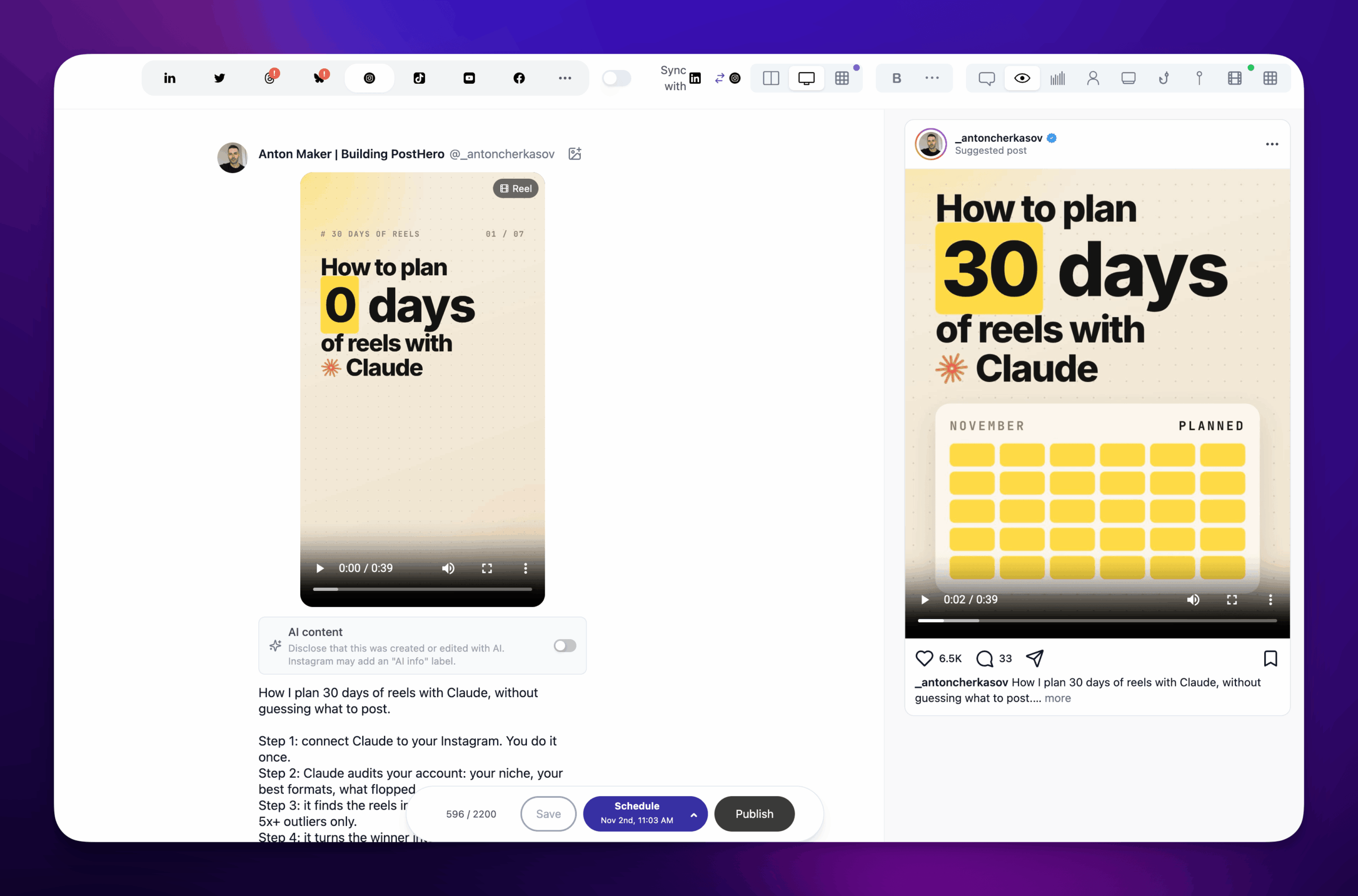
All my Claude Instagram reels go through the same six steps, and nothing goes to PostHero until you approve it. That’s on purpose: a re-render takes time, while changing a line in the chat costs nothing.
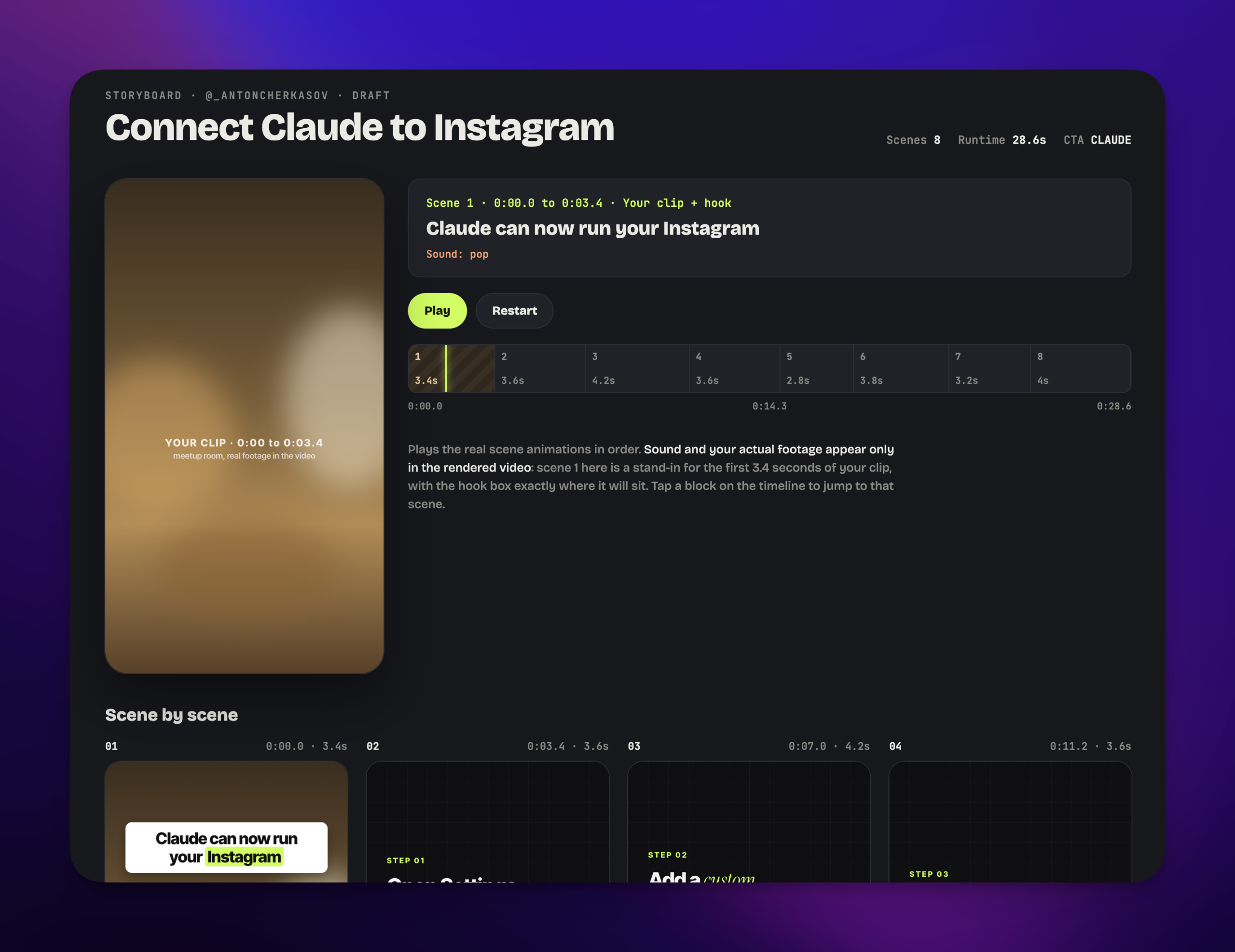
- The plan. Claude lists the scenes, one line each, and waits for your yes.
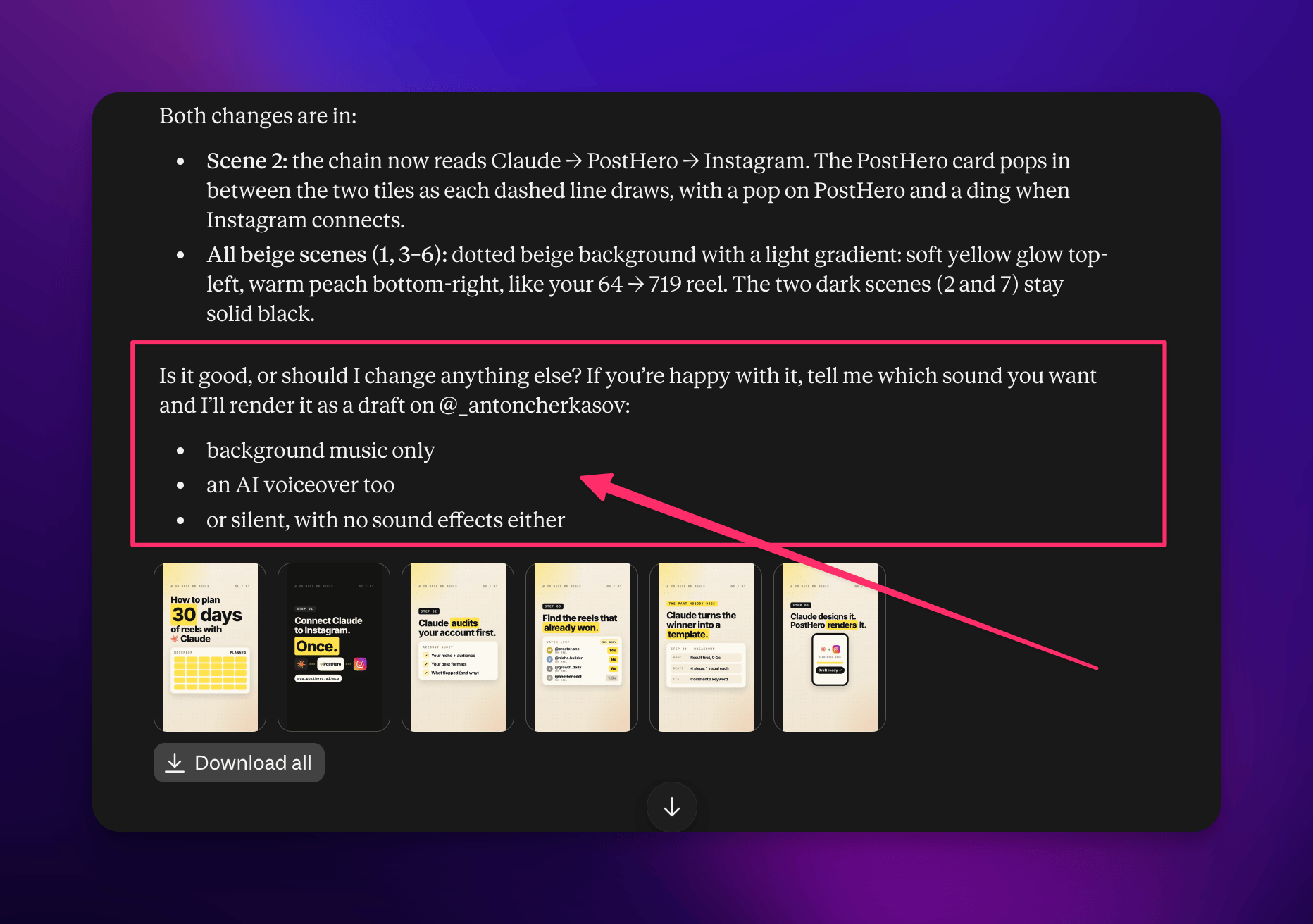
- The storyboard. Claude shows one still per scene in the chat. It shows the layout, not the motion, and nothing is saved yet. Ask for changes as many times as you want.
- The sound. Claude asks in one go: music, a voiceover, both, or silent, plus which sound effects to keep. If the reel uses your own clip, it also asks whether to add captions and in which style.
- The render. About a minute later, the video is in your media library and saved as an Instagram draft.
- The fixes. Watch it. A scene too fast to read gets re-timed and re-rendered on the same draft. Audio can still be added or changed after the video is done.
- The rest. Schedule it, or send the same video to TikTok and YouTube Shorts from the same chat, each with its own caption.
The Claude Instagram reels workflow that got 719 views
My first reels with Claude weren’t broken. They were just forgettable, the kind you scroll past without noticing. I was typing things like “make a reel about social media scheduling” and getting exactly that: the average of every reel ever made on the topic.
What changed it was starting from proof instead of a topic.
I found a recent reel in my niche that clearly beat its account’s normal numbers. Not an old classic. Something from the last few weeks, from an account roughly my size.
I had Claude break it down. Claude looked at the frames and the transcript: what was on screen in the first two seconds, how the points were ordered, where the payoff landed, and why people shared it.
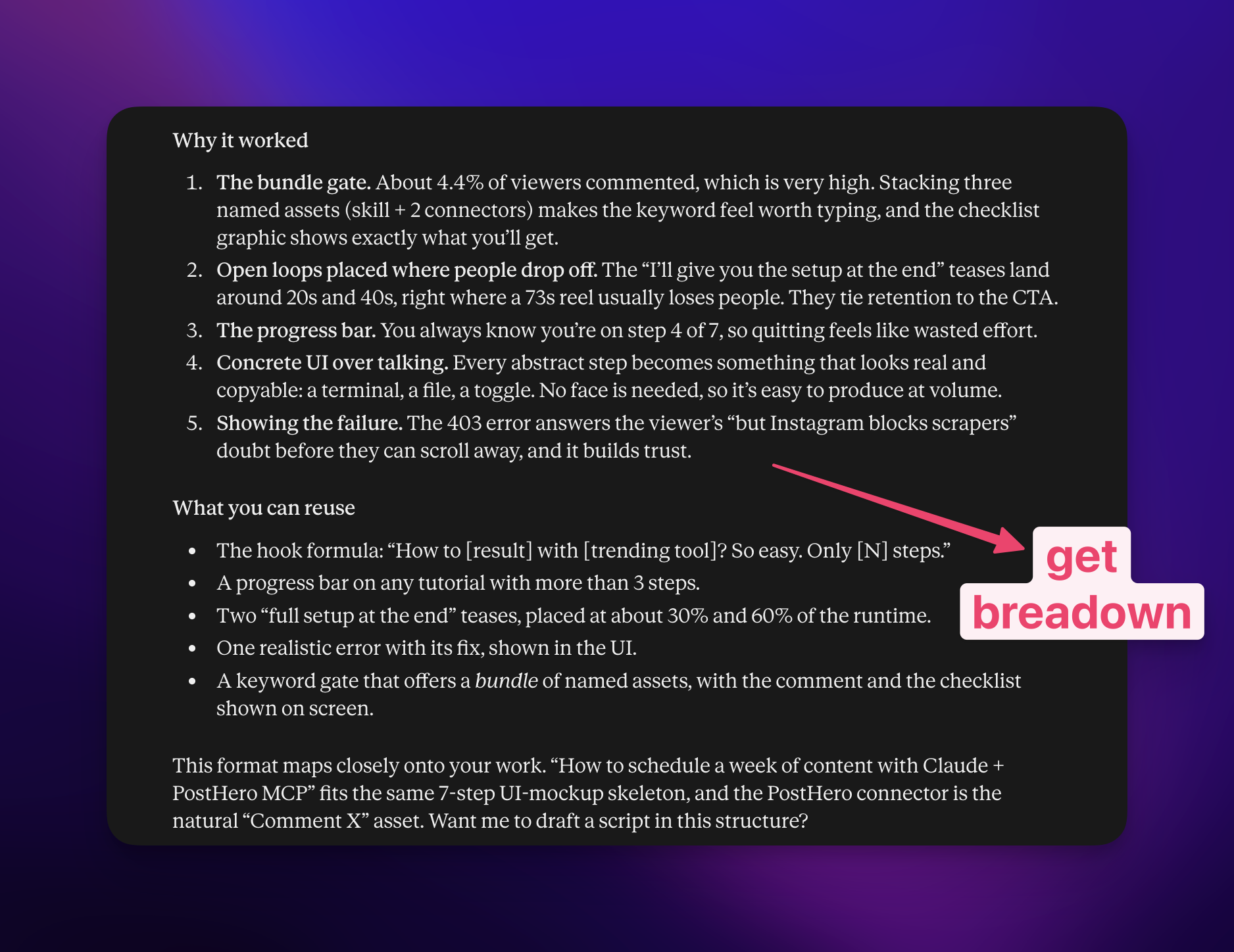
I built my own reel on that structure. Same pattern, my topic, my words. Claude designed it, PostHero rendered it, and it went out from the draft.
It got 719 views. My reels usually get around 64. That’s roughly 11x from one change in how I asked.
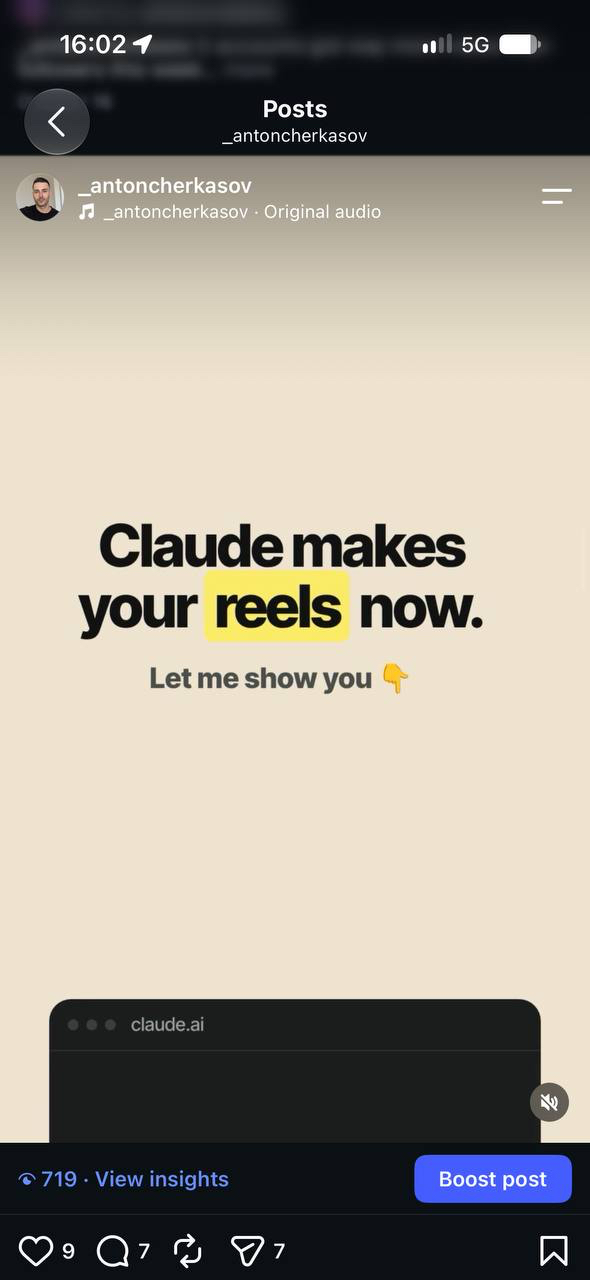
One reel doesn’t prove a law. But it matched what I kept seeing afterwards: what top creators are doing right now teaches Claude more than any description of my niche. Those lessons went back into the product too. Every weak reel showed us something to fix in how the connector renders reels, and the ones it makes today are much better than my first ones.
What goes wrong with Claude Instagram reels
Three mistakes I see constantly, and made myself:
- A topic instead of a reference. “Create a reel about my niche” gives you generic AI content. Give Claude something real: a viral breakdown, your audit, a number, something that actually happened to you this week.
- A LinkedIn post pasted onto screens. Six paragraphs split across eight scenes is still a LinkedIn post, just harder to read. A reel wants 3 to 10 words per screen and one idea per scene.
- Too polished, too expert. The “5 lessons I learned” voice reads like an ad on Instagram. Casual and specific wins.
So I give Claude the same short instruction every time:
Keep it casual, like I’m telling a friend. No pitch, no “follow for more”. One idea per scene, under 10 words on screen. Show me the storyboard before you render anything.
And expect a few attempts. Good reels take several tries for anyone, with or without AI. If your first one is average, that’s not Claude failing. It’s the normal start of learning a skill, and Claude remembers the corrections you give it inside the chat.
Copy-paste prompts for Claude Instagram reels
Swap the bits in brackets for your own.
Find ideas
Based on what you know about my work this week, give me 5 reel ideas, each from something that actually happened to me. Label each one: “you render it” or “I film it”.
Search the viral reels library for [niche] from the last 14 days, sorted by views compared to followers. Show me the covers of the top 5 and tell me which hook pattern repeats.
Break down a reel
Break down this reel: [link]. What’s on screen and said in the first 2 seconds, the beats with timestamps, and why it beat the creator’s usual numbers. Then turn it into a fill-in-the-blank template I can use on my own topic.
Design it
Using that template, design a 20-second text animation reel about [topic] for @[handle]. Plan it scene by scene first, then show me the storyboard. Don’t render until I say yes.
Use my latest video from my media library. Cut the ums and long pauses, open on the strongest line, add bold captions and one overlay per point. Show me the storyboard with my real frames first.
Sound and fixes
Add calm background music and a voiceover that adds to the on-screen text instead of reading it out. Show me the track and every line before you render.
Scene 3 is too fast to read. Give it another second and re-render on the same draft.
Share it
Send the finished reel to my TikTok drafts and save it as a YouTube Short too, with its own caption and title for each.
Instagram rules to know before you post
A few of Instagram’s own rules decide what Claude Instagram reels can and can’t include once they’re live.
- Trending audio can’t be added from outside the app. Instagram’s music library isn’t available through its API, for any tool. A reel published through PostHero goes out with PostHero’s licensed music or your voiceover. If you want a trending sound, download the reel without music and add the sound in the Instagram app.
- Mark AI images that could pass for real. If a reel uses AI images that look like real photos, mark the post as AI-made. PostHero has a setting for that, and Instagram may then add its AI info label. Animated text and stock photos don’t need it.
- Mind the edges. Instagram covers the top of a reel with its header and the bottom with your caption and username. Claude keeps text and key visuals inside the safe area, so nothing important hides behind the buttons.
- The caption still matters. Up to 2,200 characters, but only the first line shows before “more”. Claude writes it with the reel, and you can change it on the draft.
Using ChatGPT instead?
The same connector works there. PostHero speaks MCP, the standard both Claude and ChatGPT use for connectors, so you add https://mcp.posthero.ai/mcp as a custom connector in ChatGPT and sign in to PostHero. The reel tools, your media library and your drafts are the same ones Claude sees. I design my own reels in Claude, so that’s the flow this guide shows. I explain why I built PostHero to work with any AI agent in PostHero goes agentic.
FAQ
Can Claude make Instagram reels for free?
Partly. Claude’s Free plan allows one custom connector, which is all this needs. PostHero has a 7-day free trial, so you can make real reels before paying. AI voiceovers are limited per day.
Can Claude edit my own videos into reels?
Yes, with PostHero. Upload the clip to your PostHero media library first, because Claude can’t pass files from the chat. Claude then cuts it on your words, adds captions and overlays, and mixes it with animated scenes.
Can Claude add trending music to a reel?
No tool connected to Claude can. Instagram’s music library only works inside the Instagram app. Use PostHero’s licensed tracks, or add the trending sound yourself when you post.
Will Claude post the reel without asking me?
No. Every reel lands as a draft. It’s scheduled only when you give Claude a time, and published right away only when you ask and confirm once more.
Can Claude make talking-head reels?
Not the footage. Claude writes the script and shot list for you to film. Once you’ve filmed it and uploaded the clip, Claude can edit it into a reel.
Can the same reel go to TikTok and YouTube Shorts?
Yes. Ask Claude to post the finished video to TikTok and as a YouTube Short from the same chat, with a separate caption for each. The same works for any platform: see how it handles X and threads, for example.
PostHero for Claude
Make your first reel in Claude
Connect in 2 minutes. Start from a real viral reel, approve the storyboard, and get a finished video draft.
7-day free trial. Everything starts as a draft.
Leave a Reply